Actualizando


Capturas de pantalla del iPhone


Capturas de pantalla del iPad


Descripción
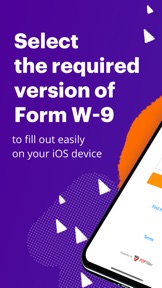
Filling out the W9 - one of the most demandable IRS forms - has never been so easy.
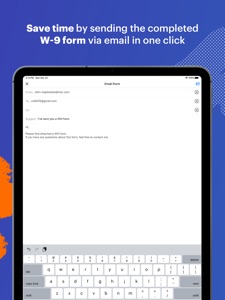
You're going to need this application, especially if you're stuck working with an overwhelming amount of paper. Edit form and create an electronic signature quickly and securely on your iOS device. After completing it, you can send it via email.
PDF forms are much more convenient - everything is paperless and you can print it even from your mobile phone or tablet if needed. Fill forms with apps, powered by PDFfiller, to file taxes and spend less time completing them by hand or going to the nearest USPS office. We also have other applications for completing tax forms - W2, 1023, W4, and I9, which are all useful for people who need a federal tax refund or IRS refund.
Using our applications allows you to easily complete mobile forms for business from almost any device.
Key features:
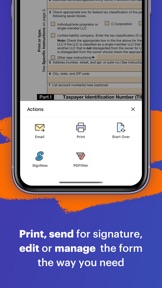
- Use your finger to sign the W-9 form;
- Email the form with your information to another person;
- Print out the completed document;
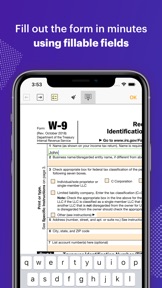
- Add and edit the text at any place on the needed form;
- Easily navigate between all fields with arrows at the top of the screen;
- Fill in the date, and add pictures and checkboxes.
Novedades de la versión 4.19
- Big fixes and stability improvements
Vendedor
Nombre
airSlate, Inc.
Dirección
Información
Desarrollador
Categorías
Versión
4.19
Tamaño
40.9 MB
Game Center
No
VPP Device Licensing
Sí
Puntuación
Clasificación: 4+
Compatibilidad
iOS 10.0 o posterior
Dispositivos
iPhone 5, iPhone 5c, iPhone 5s, iPhone 6, iPhone 6 Plus, iPhone 6s, iPhone 6s Plus, iPhone SE, iPhone 7, iPhone 7 Plus, iPhone 8, iPhone 8 Plus, iPhone X, iPhone XR, iPhone XS, iPhone XS Max, iPhone 11, iPhone 11 Pro, iPhone 11 Pro Max, iPhone SE (segunda generación), iPad (4th Generation) (Wi-Fi), iPad (4th Generation) (4G), iPad (quinta generación) Wi-Fi, iPad (quinta generación) Wi-Fi + Cellular, iPad (sexta generación) Wi-Fi, iPad (sexta generación) Wi-Fi + Cellular, iPad Pro, iPad Pro (Cellular), iPad Pro (9.7 pulgadas), iPad Pro (9.7 pulgadas) (Cellular), iPad Pro (12,9 pulgadas, segunda generación), iPad Pro (12,9 pulgadas, segunda generación) Wi-Fi + Cellular, iPad Pro (10,5 pulgadas), iPad Pro (10,5 pulgadas) Wi-Fi + Cellular, iPad Pro (11 pulgadas), iPad Pro (11 pulgadas) Wi-Fi + Cellular, iPad Pro (12,9 pulgadas, tercera generación), iPad Pro (12,9 pulgadas, tercera generación) Wi-Fi + Cellular, iPad Air, iPad Air (Cellular), iPad Air 2, iPad Air 2 (Cellular), iPad Air (tercera generación), iPad Air (tercera generación) Wi-Fi + Cellular, iPad mini Retina, iPad mini Retina (Cellular), iPad mini 3, iPad mini 3 (Cellular), iPad mini 4, iPad mini 4 (Cellular), iPad mini (quinta generación), iPad mini (quinta generación) Wi-Fi + Cellular, iPad (séptima generación) Wi-Fi, iPad Pro de 11 pulgadas (segunda generación), iPad Pro de 11 pulgadas (segunda generación) (Wi-Fi + Cellular), iPad Pro de 12,9 pulgadas (cuarta generación), iPad Pro de 12,9 pulgadas (cuarta generación) (Wi-Fi + Cellular), iPad Air (4th Generation) (Wi-Fi), iPad Air (4th Generation) (Wi-Fi + Cellular), iPad (octava generación) Wi-Fi, iPad (octava generación) Wi-Fi + Cellular, iPod touch (sexta generación), iPod touch (séptima generación)
Idiomas
inglés
App Store: Valoraciones de clientes
Calificaciones y reseñas
0.0 de 5 (Sin valoración)
App Store: Reseñas de usuarios
Ninguna entrada