AcercaCondicionesPrivacidadContacto
 
Actualizando
A2DPblocker - Bluetooth Mono

A2DPblocker - Bluetooth Mono

Estreno: 2011-09-13
© Gnavicks
A2DPblocker - Bluetooth Mono - QR Code
Versión 1.7.2
4+
Descárgalo en el App Store
Versión 1.7.2
4+
Descárgalo en el App Store
Estreno: 2011-09-13
© Gnavicks

Capturas de pantalla del iPhone

Captura de pantalla
Captura de pantalla
Captura de pantalla
Captura de pantalla
Captura de pantalla

Descripción

WHAT IS IT?
------------------------------------------//
A2DPblocker is an audio player that blocks the Advanced Audio Distribution Profile (A2DP) (i.e. Bluetooth Stereo Profile) from connecting on a Bluetooth enabled iOS device without completely disabling the Bluetooth hardware. This enables the iOS device to continue to perform other Bluetooth functions like default audio output from another audio app (dictation, audio books, podcasts, GPS, music streaming, etc.) to a Hands-Free Profile (HFP) enabled Bluetooth car kit, headset, etc. as well as make phone calls over Bluetooth, and wirelessly control the iPod with a paired AVRCP enabled Bluetooth accessory.
A2DP was introduced in iOS 3.0 and this app simply blocks A2DP from connecting and maintains the default audio output device when it's running in the foreground (including when the screen is locked on iOS 3.1 or later devices) or background (requires iOS 4.0 or later).
You can finally disable A2DP once and for all with this app and stop manually changing the default audio output device each time your car kit, headset, or whatever A2DP enabled Bluetooth accessory you have connects to your iOS device.
FEATURES
------------------------------------------//
- blocks A2DP.
- defaults audio output from another audio app to a HFP enabled Bluetooth car kit, headset, etc.
- maintains the default audio output device.
- built-in iPod controls.
- audio Playback Queue (requires iOS 4.0 or later).
- suppresses audio notification alerts (only on pre-iOS 7.0 or earlier devices).
HOW TO USE
------------------------------------------//
1.) Pair your Bluetooth enabled iOS device with your Bluetooth car kit, headset, etc.
2.) Launch A2DPblocker and ensure “A2DP Blocker" switch is ON.
3.) Add a downloaded non-DRM (i.e. not copy-protected) audio track from your music library to the Playback Queue on iOS 4.0 or later and adjust the independent volume slider to guarantee A2DP is blocked.
4.) Ensure “Remote Control" switch is OFF.
5.) Set Default Audio to “speaker+” / “receiver” / “speaker” to block A2DP or “headset+” to default audio output via HFP.
6.) Play Playback Queue.
7.) Launch and configure your other audio app or begin playing the iPod with the built-in iPod controls or an attached accessory.
Now your Bluetooth enabled iOS device should block the A2DP connection from occurring or audio should now be streaming via the HFP connection as long as A2DPblocker is active. Successive launches of A2DPblocker doesn't require reconfiguration and it will not interfere with the phone call function or transport controls (AVRCP).
NOTICE
------------------------------------------//
HFP enabled Bluetooth car kits, headsets, etc. that only support the phone call function may configure A2DPblocker to utilize the same connection to playback audio (see HOW TO USE). However, the audio quality of the HFP standard is designed to be low bitrate, mono, and frequency limited to voice ranges, which is why music streaming may sound a bit lacking, but streaming dictation, audio books, podcasts, GPS, etc. for example would sound normal.
REQUIREMENTS
------------------------------------------//
- requires iOS 7.0 or later.
- Bluetooth.
- microphone or other audio input.
- works best with the audio Playback Queue active.
CONTACT INFO
------------------------------------------//
Please contact me with your questions and/or comments. If you just love A2DPblocker then please leave a review!
- twitter.com/gnavicks
- dkanem.selfip.com

Novedades de la versión 1.7.2

A2DPblocker v1.7.2 is ready!
- built with iOS 11 :)
- iOS versions earlier than iOS 7.0 are no longer supported.
- added 5.8-inch and 6.5-inch super retina display support.
- added 6.1-inch liquid retina display support.
- fixed crash when using remote-control on iOS 11.3 or later.
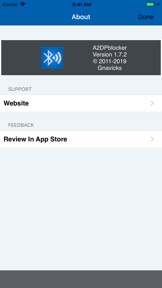
- updated About screen.
Your 5 star reviews keep the updates coming!
Please contact me with your questions and/or comments. If you just love A2DPblocker then please leave a review!
- twitter.com/gnavicks
- dkanem.selfip.com

Vendedor

Nombre

Dalton Mackie

Información

Desarrollador

Categorías

Versión

1.7.2

Tamaño

2.1 MB

Game Center

No

VPP Device Licensing

Puntuación

Clasificación: 4+

Compatibilidad

iOS 7.0 o posterior

Dispositivos

iPhone 4, iPhone 4S, iPhone 5, iPhone 5c, iPhone 5s, iPhone 6, iPhone 6 Plus, iPhone 6s, iPhone 6s Plus, iPhone SE, iPhone 7, iPhone 7 Plus, iPhone 8, iPhone 8 Plus, iPhone X, iPhone XR, iPhone XS, iPhone XS Max, iPhone 11, iPhone 11 Pro, iPhone 11 Pro Max, iPhone SE (segunda generación), iPhone 12, iPhone 12 Pro, iPhone 12 Pro Max, iPhone 12 mini, iPhone 13, iPhone 13 Pro, iPhone 13 Pro Max, iPhone 13 mini, iPhone SE (tercera generación), iPhone 14, iPhone 14 Plus, iPhone 14 Pro, iPhone 14 Pro Max, iPhone 15, iPhone 15 Plus, iPhone 15 Pro, iPhone 15 Pro Max, iPhone 16, iPhone 16Plus, iPhone 16Pro, iPhone 16ProMax, iPad 2 (Wi-Fi), iPad 2 (3G), iPad (tercera generación) (Wi-Fi), iPad (tercera generación) (4G), iPad (4th Generation) (Wi-Fi), iPad (4th Generation) (4G), iPad (quinta generación) Wi-Fi, iPad (quinta generación) Wi-Fi + Cellular, iPad (sexta generación) Wi-Fi, iPad (sexta generación) Wi-Fi + Cellular, iPad Pro, iPad Pro (Cellular), iPad Pro (9.7 pulgadas), iPad Pro (9.7 pulgadas) (Cellular), iPad Pro (12,9 pulgadas, segunda generación), iPad Pro (12,9 pulgadas, segunda generación) Wi-Fi + Cellular, iPad Pro (10,5 pulgadas), iPad Pro (10,5 pulgadas) Wi-Fi + Cellular, iPad Pro (11 pulgadas), iPad Pro (11 pulgadas) Wi-Fi + Cellular, iPad Pro (12,9 pulgadas, tercera generación), iPad Pro (12,9 pulgadas, tercera generación) Wi-Fi + Cellular, iPad Air, iPad Air (Cellular), iPad Air 2, iPad Air 2 (Cellular), iPad Air (tercera generación), iPad Air (tercera generación) Wi-Fi + Cellular, iPad mini (Wi-Fi), iPad mini (4G), iPad mini Retina, iPad mini Retina (Cellular), iPad mini 3, iPad mini 3 (Cellular), iPad mini 4, iPad mini 4 (Cellular), iPad mini (quinta generación), iPad mini (quinta generación) Wi-Fi + Cellular, iPad (séptima generación) Wi-Fi + Cellular, iPad Pro de 11 pulgadas (segunda generación), iPad Pro de 11 pulgadas (segunda generación) (Wi-Fi + Cellular), iPad Pro de 12,9 pulgadas (cuarta generación), iPad Pro de 12,9 pulgadas (cuarta generación) (Wi-Fi + Cellular), iPad Air (4th Generation) (Wi-Fi), iPad Air (4th Generation) (Wi-Fi + Cellular), iPad (octava generación) Wi-Fi, iPad (octava generación) Wi-Fi + Cellular, iPad Pro de 11 pulgadas (tercera generación), iPad Pro de 11 pulgadas (tercera generación) (Wi-Fi + Cellular), iPad Pro de 12,9 pulgadas (quinta generación), iPad Pro de 12,9 pulgadas (quinta generación) (Wi-Fi + Cellular), iPad (novena generación), iPad (novena generación) Wi-Fi + Cellular, iPad mini (sexta generación), iPad mini (sexta generación) Wi-Fi + Cellular, iPad Air (quinta generación), iPad Air (quinta generación) Wi-Fi + Cellular, iPad Pro de 11 pulgadas (cuarta generación), iPad Pro de 11 pulgadas (cuarta generación) (Wi-Fi + Cellular), iPad Pro (12,9 pulgadas, sexta generación), iPad Pro (12,9 pulgadas, sexta generación) (Wi-Fi + Cellular), iPad (décima generación), iPad (décima generación) (Wi-Fi + Cellular), iPad Air de 11 pulgadas (M2) Wi-Fi, iPad Air de 13 pulgadas (M2) Wi-Fi, iPad Air de 13 pulgadas (M2) Wi-Fi + Cellular, iPad Pro de 11 pulgadas (M4) Wi-Fi, iPad Pro de 11 pulgadas (M4) Wi-Fi + Cellular, iPad Pro de 13 pulgadas (M4) Wi-Fi, iPad Pro de 13 pulgadas (M4) Wi-Fi + Cellular, iPad MiniA17Pro, iPad MiniA17ProCellular, iPod touch (5.ª generación), iPod touch (sexta generación), iPod touch (séptima generación), Apple Watch Series 4, Apple Watch Series 5, Apple Watch Series 6 (GPS), Apple Watch Series 6 (GPS + Celular), Apple Watch Series SE (GPS), Apple Watch Series SE (GPS + Celular), Apple Watch Series 7 (GPS), Apple Watch Series 7 (GPS + Celular), Apple Watch Series 8 (GPS), Apple Watch Series 8 (GPS + Celular), Apple Watch SE (segunda generación) (GPS), Apple Watch SE (segunda generación) (GPS + Cellular), Apple Watch Ultra, Apple Watch Series 9 (GPS), Apple Watch Series 9 (GPS + Celular), Apple Watch Ultra 2, Watch10, Watch10Cellular

Idiomas

inglés

App Store: Valoraciones de clientes

Calificaciones y reseñas

1.0 de 5 (6 valoraciones)

App Store: Reseñas de usuarios

2024-11-16

No sirve

Es una estafa esto no sirve y pagué por algo que solo no funciona no la compren, se cierra al solo descargarla
Dozanita
Versión 1.7.2
2018-12-05

Falla

Aún se sigue cerrando
sir mokix
Versión 1.5.2
2018-08-08

Malísima no la descarguen!!!!

No sirve se cierra la aplicación en cuanto la abres, funciono un poco pero la calidad del audio es terrible suena con mucha interferencia definitivamente muy mala, por favor regrésenme mi dinero
Ramir_0
Versión 1.5.2
2018-07-09

Pésima aplicación

Se cierra en cuanto se activa y no permite hacer nada.
0% recomendable.
Un gasto inútil 😡😡
maqasamn
Versión 1.5.2
2018-05-30

Muy malo

Abrí la aplicación y al estarla manipulando se me cierra siempre y no me permite hacer nada
Que la arreglen o que devuelvan el dinero 😡
RoRoPe07
Versión 1.5.2
2016-07-18

Peor app

Pésima app. La calidad del sonido es de lo peor y no te permite reproducir música de aplicaciones como por ejemplo Spotify
Valentina Caldas
Versión 1.5
2012-06-02

Es un robo

No sirve. Quiero mi dinero. No la compren.
Gifmev
Versión 1.2
2011-11-14

Es una basura! Los peores $36 pesos gastados en toda mi vida.

Es una basura! Los peores $36 pesos gastados en toda mi vida.
Esperaba poder ocuparlo con mi headset con micrófono y por fin tener micrófono inalámbrico. Quiero mi dinero de regreso. Al abrir la app, aparece un mensaje de error. Unable to activate audio session es lo que aparece
trejoroman
Versión 1.0