AcercaCondicionesPrivacidadContacto
 
Actualizando
Adobe Aero

Adobe Aero

Estreno: 2019-11-05
© 2020 Adobe Inc.
Adobe Aero - QR Code
Versión 1.7.0
4+
Descárgalo en el App Store
Versión 1.7.0
4+
Descárgalo en el App Store
Estreno: 2019-11-05
© 2020 Adobe Inc.

Capturas de pantalla del iPhone

Captura de pantalla
Captura de pantalla
Captura de pantalla
Captura de pantalla
Captura de pantalla
Captura de pantalla
Captura de pantalla
Captura de pantalla
Captura de pantalla

Capturas de pantalla del iPad

Captura de pantalla
Captura de pantalla
Captura de pantalla
Captura de pantalla
Captura de pantalla
Captura de pantalla
Captura de pantalla
Captura de pantalla
Captura de pantalla

Descripción

Design interactive immersive experiences by bringing your design skills into the world of Augmented Reality. No coding or 3D design experience necessary.
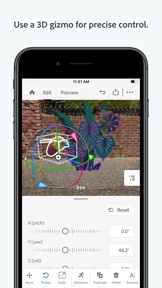
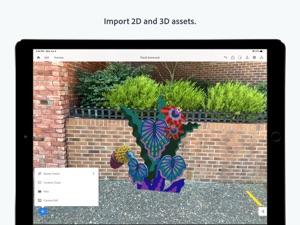
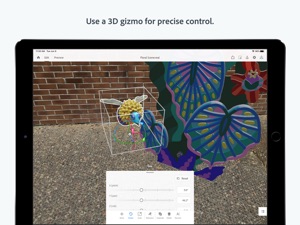
See your content in Augmented Reality by easily bringing in 3D models, photos, layered files and other 2D from Photoshop and Illustrator, or images from phone or desktop or Creative Cloud files. You can also bring in assets from other 3rd party applications like Maya and C4D and place assets in the real world environment around you, already optimized to look great in your AR experience. Placing assets is easy with familiar gestures to rotate, scale and move.
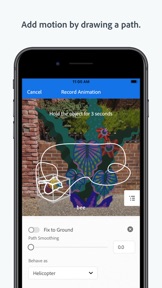
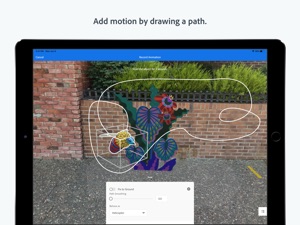
Create interactive experiences without needing to rely on a developer. Apply behaviors to your content to build combinations of triggers and actions that draw viewers of your experience to drive the narrative and engage with the story. Add motion to your objects by using your mobile device to draw the path of motion you want the object to take.
Whether you’ve completed your design, or still want feedback from other collaborators, Aero gives you the power to share your files in multiple formats for easy viewing. Send a link so others can interact with your creation in Aero on their own device in viewer mode. Export a file that can be embedded in a 3rd party app. Or, share your project as a recorded video on social media using #AdobeAero. Switch to Preview mode for fast feedback on how the edits you make will look and feel for viewers of your experience. Easily test how interactions and placement of your assets will enhance your scene and record quick videos or take snapshots of your work in progress so you share and get input for rapid iteration.
COMPATIBILITY
Supported operating system
• iPhone and iPadOS 13.2.1 and above
Supported system requirements
• ARKit 2 and above
Supported devices
• iPhone 8 Plus
• iPhone X, XR, XS, XS Max
• iPhone 11, 11 Pro, 11 Pro Max
• iPad Pro (Wi-Fi, Wi-Fi + Cellular)
• iPad Pro (12.9-inch) 3rd Generation
• iPad Pro (11-inch)
• iPad Mini 5
• iPad Air 3
You must be 13 or older and agree to Adobe’s terms and privacy policy:
http://www.adobe.com/go/terms_linkfree
http://www.adobe.com/go/privacy_policy_linkfree
Use of Adobe mobile apps and online services require registration for an Adobe ID for any level of Creative Cloud membership, which may not be available in all countries or languages, and may be subject to change or discontinuation without notice. Adobe online services require an internet connection.

Novedades de la versión 1.7.0

NEW FEATURES
- Import custom 2D animations from GIF files or PNG sequences (import in ZIP)
- Apply multiple animations to one object
- Generate a QR code from a Share link to have other view the Aero experience on their device by just scanning the code with their iOS camera app
- Share an Aero experience as a project to Behance
Work comfortably between mobile and Aero’s new public beta desktop app
BUG FIXES
- Resolved the top crashes as well as minor bug fixes
- Application stability issues (crashes)
KNOWN ISSUES / LIMITATIONS
- Anchors can sometimes float above the ground-plane. To work around this, go to "Anchor Settings" > "Reset".
- Exporting a Universal Scene Description (.usdz) filetype will not preserve added behaviors.
• This is a limitation of the format.
• Export to .real filetype to preserve behaviors
COMMUNICATING WITH US
- Post feature requests to UserVoice forum and Adobe Community forums for questions and bug reporting.
GENERAL
- Please take the time to update your devices to iOS 13.1 or above. This is our current baseline for supported iOS operating systems.
COMPATIBILITY
Supported operating system
• iPhone and iPadOS 13.2.1 and above
Supported system requirements
• ARKit 2 and above
Supported devices
• iPhone 8 Plus
• iPhone X, XR, XS, XS Max
• iPhone 11, 11 Pro, 11 Pro Max
• iPad Pro (Wi-Fi, Wi-Fi + Cellular) • iPad Pro (12.9-inch) 3rd Generation
• iPad Pro (11-inch)
• iPad Mini 5
• iPad Air 3

Vendedor

Información

Desarrollador

Categorías

Versión

1.7.0

Tamaño

342.2 MB

Game Center

No

VPP Device Licensing

Puntuación

Clasificación: 4+

Compatibilidad

iOS 13.1 o posterior

Dispositivos

iPhone 6s, iPhone 6s Plus, iPhone SE, iPhone 7, iPhone 7 Plus, iPhone 8, iPhone 8 Plus, iPhone X, iPhone XR, iPhone XS, iPhone XS Max, iPhone 11, iPhone 11 Pro, iPhone 11 Pro Max, iPhone SE (segunda generación), iPhone 12, iPhone 12 Pro, iPhone 12 Pro Max, iPhone 12 mini, iPad (quinta generación) Wi-Fi, iPad (quinta generación) Wi-Fi + Cellular, iPad (sexta generación) Wi-Fi, iPad (sexta generación) Wi-Fi + Cellular, iPad Pro, iPad Pro (Cellular), iPad Pro (9.7 pulgadas), iPad Pro (9.7 pulgadas) (Cellular), iPad Pro (12,9 pulgadas, segunda generación), iPad Pro (12,9 pulgadas, segunda generación) Wi-Fi + Cellular, iPad Pro (10,5 pulgadas), iPad Pro (10,5 pulgadas) Wi-Fi + Cellular, iPad Pro (11 pulgadas), iPad Pro (11 pulgadas) Wi-Fi + Cellular, iPad Pro (12,9 pulgadas, tercera generación), iPad Pro (12,9 pulgadas, tercera generación) Wi-Fi + Cellular, iPad Air (tercera generación), iPad Air (tercera generación) Wi-Fi + Cellular, iPad mini (quinta generación), iPad mini (quinta generación) Wi-Fi + Cellular, iPad (séptima generación) Wi-Fi, iPad Pro de 11 pulgadas (segunda generación), iPad Pro de 11 pulgadas (segunda generación) (Wi-Fi + Cellular), iPad Pro de 12,9 pulgadas (cuarta generación), iPad Pro de 12,9 pulgadas (cuarta generación) (Wi-Fi + Cellular), iPad Air (4th Generation) (Wi-Fi), iPad Air (4th Generation) (Wi-Fi + Cellular), iPad (octava generación) Wi-Fi, iPad (octava generación) Wi-Fi + Cellular, iPod touch (séptima generación)

Idiomas

alemán, francés, inglés, japonés

App Store: Valoraciones de clientes

Calificaciones y reseñas

4.5 de 5 (112 valoraciones)

App Store: Reseñas de usuarios

2020-03-05

Awesome

Hello, great app I’m having a trouble while importing fxb or obj with animation, doesn’t recognize the keyframes 🤟🏼
Mantraraya
Versión 1.3.0
2019-11-11

Love the app still need some tweeks

Could you guys tell me how to “re arrange a layered file” in the new update? I cant find how. Cheers keep the good work
Alexis Armandi
Versión 1.1.2
2019-11-09

App not working

It says that adobe aero works on my iPad but it is not opening correctly...
Whats happening?
Alexen72
Versión 1.1.1
2019-11-07

App compatibility

I’m confused!!! Does it work on the ipad 5th generation or not because it won’t open 😟
d6N1
Versión 1.1.1